


 Written by admin
Smartphone users often search for easier ways to activate mobile plans without physical SIM cards. Android devices now support digital SIM technology, which allows quick carrier activation. Users add mobile plans through simple phone settings and QR codes. Digital connectivity removes the need to visit stores or insert plastic cards.
Mobile networks across the world now offer fast eSIM activation for Android users. Digital profiles connect the phone directly to the carrier network through software. Many devices already support simple steps to set up eSIM within minutes. In this blog, you learn the full process of installing and managing eSIM on Android phones.
Modern smartphones include a built-in digital SIM chip which stores mobile network profiles. Users activate a mobile plan without inserting a plastic card. The phone downloads a digital profile from the carrier server and connects instantly. Many people refer to this process as setting up eSIM on a device.
Android manufacturers adopted digital SIM support after the First Android phones to support eSIM entered the market. Devices such as Google Pixel models introduced early support for digital profiles. New Android phones now include the option to Add eSIM to Android through simple phone settings. Carrier activation becomes faster than traditional SIM installation.
Digital profiles also allow easy esim profile management inside the device. Phone users store multiple network plans and switch between them easily. Travel users often install a local network plan without removing their main carrier line. Android software handles this process smoothly.
Phone compatibility forms the first step before Installing eSIM on Android process begins. Android settings usually contain a mobile network option where digital SIM installation begins. Users open network settings and select the option to Add E-SIM to the device. Carrier instructions normally guide users through the remaining steps.
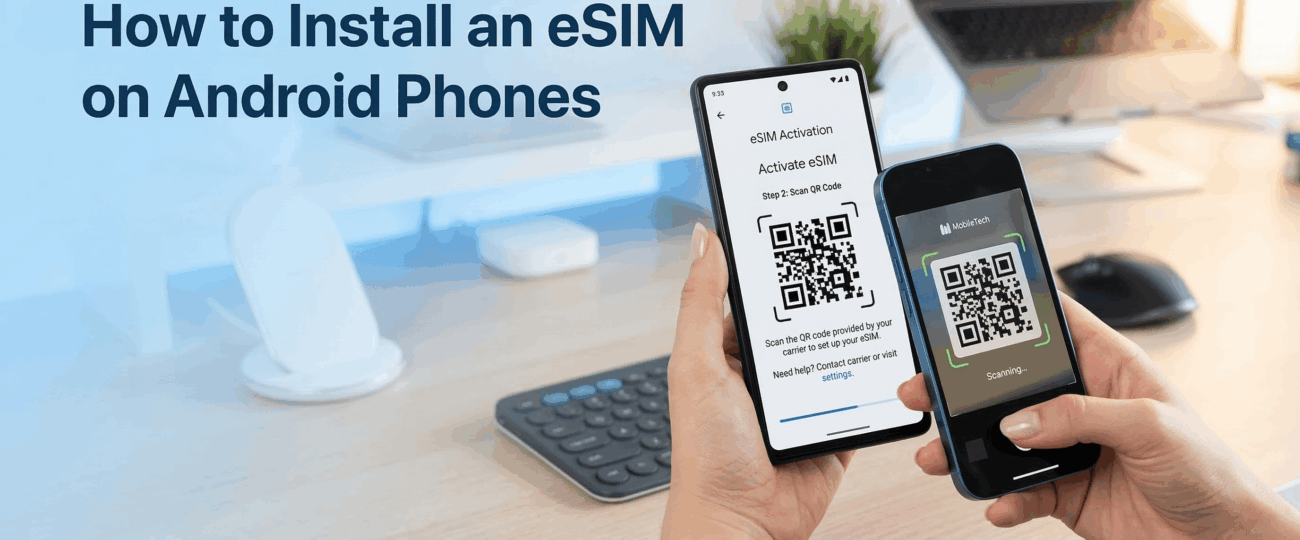
Network providers usually send a QR code or activation details for How to install eSIM on the device. Phone cameras scan the QR code and download the digital profile from the carrier server. A stable internet connection helps complete this activation process quickly. Phone settings confirm successful activation after installation.
Some carriers also provide manual activation codes instead of QR scanning. Android devices allow manual entry through an esim keystring android option in advanced settings. Users enter carrier details and complete profile installation. Digital activation finishes within minutes when the correct information enters the device.
Android devices include simple tools for digital SIM installation. Most carriers provide step instructions through apps or activation codes. Device settings guide the user during installation. The sections below explain the main methods used to complete installation.
Carriers often provide a QR code for quick esim activation. Android users open network settings and choose the option to Add eSIM to Android devices. The phone camera scans the QR code and downloads the network profile. The digital SIM becomes active within a few moments.
Phone software then stores the carrier profile inside the device chip. Users confirm the plan name and activate mobile data or calls. Digital installation completes without physical SIM cards. Carrier apps sometimes guide users through this process step by step.
Some carriers activate digital SIM profiles through manual details. Android settings allow entry of server information for activation. Users sometimes search Where to find the sm-dp+ address on android when manual activation becomes necessary. Carrier support teams usually provide this information.
Manual entry allows phones to connect directly with carrier activation servers. Network profiles download after verification completes. The device stores the digital plan automatically. This method works well when QR codes remain unavailable.
Many mobile providers offer apps which guide users through How to setup esim on Android devices. Carrier apps display activation options inside the application dashboard. Users follow the instructions and allow the app to install the network profile automatically.
App activation simplifies digital installation for new users. The process requires only login and activation confirmation. Android software then completes the profile download. Network service starts immediately after installation.
Advanced Android settings support manual entry through esim keystring android activation. Carrier technical support may provide a special activation string. Users enter this string inside the device activation menu. The phone then downloads the digital profile directly.
Manual entry usually appears in advanced network settings. Android devices use this method when QR scanning fails. Carrier authentication verifies the profile during installation. Activation finishes once verification completes.
Many smartphone brands now support Installing eSIM on Android through modern system updates. Premium devices from Google, Samsung, and Motorola include built in digital SIM chips. Device compatibility allows users to set up eSIM quickly through mobile network settings. New Android models support several stored profiles as well.
Older devices introduced digital SIM technology gradually. Some users also explore compatibility for esim on LG Android devices when older models remain in use. Certain LG smartphones received updates which enabled digital SIM support. Device model numbers determine compatibility.
Android software updates also improve esim profile management tools. Phone settings now allow users to rename profiles or switch networks quickly. Multiple profiles help users manage work and travel connections. Android systems continue to expand digital SIM support across new devices.
Android smartphones now offer a simple way to activate mobile plans without physical SIM cards. Digital connectivity allows users to complete eSIM activation directly from device settings after purchasing a compatible data plan from the eSIM shop. Installation requires only a QR code or carrier activation details. Mobile connectivity begins within minutes after profile installation.
Knowledge about How to install eSIM helps users benefit from modern mobile technology. Android phones provide flexible options such as QR activation, manual setup, or carrier app installation. Digital SIM technology simplifies mobile plan management and travel connectivity.
Future Android devices will continue expanding support for esim profile management and advanced network features. Users gain more control over multiple mobile plans through digital SIM systems. Smartphone connectivity becomes faster and more convenient through eSIM technology.
Android users open the mobile network settings on the device. The Add E-SIM option appears in the SIM management menu. A QR code scan or manual entry activates the network profile. Carrier instructions guide the remaining installation steps.
Not every Android device supports digital SIM technology. Compatibility depends on device hardware and software support. Many new smartphones allow easy Add eSIM installation on Android through system settings. Users check device specifications before attempting installation.
Users often search Where to find the sm-dp+ address on android during manual activation. Carrier support teams normally provide this server address. The address connects the phone to the network profile server. Manual activation works after the correct details enter the device.
Android devices support several stored network profiles through esim profile management tools. Users switch between plans through mobile network settings. Travel or work plans remain stored inside the device memory. Only one or two profiles remain active depending on the phone model.
Many technology enthusiasts refer to the First Android phones to support eSIM when discussing early adoption. Google Pixel models introduced early support for digital SIM profiles. Later Android brands expanded compatibility through new devices and software updates. Modern smartphones now support easier installation and profile switching.
 North eSIM
Price range: 1.78 € through 56.45 €
North eSIM
Price range: 1.78 € through 56.45 €
 eSim Bahrain
Price range: 1.75 € through 55.43 €
eSim Bahrain
Price range: 1.75 € through 55.43 €
 eSim Bahamas
Price range: 5.80 € through 183.93 €
eSim Bahamas
Price range: 5.80 € through 183.93 €
 eSim Azerbaijan
Price range: 1.75 € through 60.28 €
eSim Azerbaijan
Price range: 1.75 € through 60.28 €
 eSim Australia
Price range: 1.25 € through 65.98 €
eSim Australia
Price range: 1.25 € through 65.98 €
© 2026 Esimple. All rights reserved by Cubixsol
