
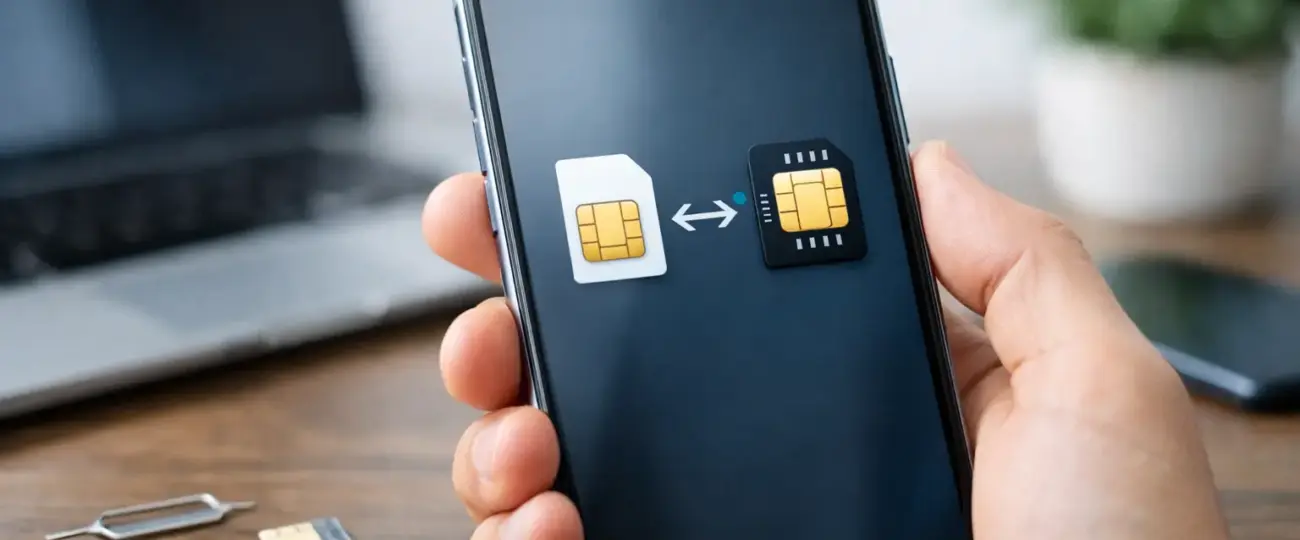


Your phone number is tied to your mobile line, not to the tiny physical SIM card in your phone. That is why the answer to “can I keep my number with eSIM?” is usually yes. The key is knowing whether you are moving your main line to an eSIM or adding a separate travel eSIM for data.
For most international trips, you do not need to move or cancel your regular number at all. You can keep it active with your home carrier while using a travel eSIM for affordable mobile data. It is one of the simplest ways to stay reachable without relying on expensive international data roaming.
Yes. If you install a travel eSIM as a second line, your existing phone number stays with your regular carrier. Your physical SIM can remain in the phone, or your primary eSIM can stay enabled, while the travel eSIM handles data abroad.
Think of it as giving your phone two jobs. Your usual line protects your familiar number for calls, texts, account verification codes, and contacts who need to reach you. Your travel eSIM gives you mobile data in your destination, so you can use maps, messaging, ride-share apps, email, and browsing without paying your home carrier’s daily roaming rate.
This setup works best on a dual-SIM-capable, unlocked phone. Most newer iPhones, Google Pixel devices, and many Samsung Galaxy models can keep more than one line installed. However, the number of lines that can be active at the same time varies by device.
A travel eSIM is usually data-only. That does not replace your regular phone number, and it is not meant to. It gives you local or regional data access while you keep your established number where it belongs: with your home provider.
Nothing changes automatically. Installing an eSIM does not cancel your physical SIM, erase your contacts, or transfer your number to another company. Your primary number remains active unless you choose to turn off or remove that line.
Before departure, your phone may ask you to label each line. Use clear names such as “Primary” and “Travel Data.” Then set the travel eSIM as the line for cellular data once you arrive. This helps prevent your phone from using your home line for data in the background.
You can still use apps such as WhatsApp, FaceTime, iMessage, Signal, Teams, and Zoom with your regular number or account while the travel eSIM provides the internet connection. For many travelers, that means their everyday communication works normally, just powered by a different data source.
Calls and standard SMS messages are different. If someone calls your US number, the call still routes through your home carrier. Depending on your carrier and plan, receiving or making cellular calls abroad may create roaming charges. The same can apply to traditional text messages, although many carriers include incoming texts at no additional cost. Check your carrier’s international policy before you leave, especially if you expect important calls.
The right approach depends on what you are trying to do.
This is the most common situation. Keep your current line active and install a travel eSIM for data. There is no number transfer involved, so your existing number remains unchanged.
Set your travel eSIM as the mobile data line. Turn off data roaming on your primary line, and make sure cellular data switching is disabled if your phone offers that setting. Those small changes matter because they stop your phone from falling back to your home carrier’s data connection when the travel eSIM signal is weak.
You can buy, scan, and connect with an eSimple Pro data plan before your trip, then activate it when you reach your destination. Your usual number remains available, while your phone uses the travel plan for the data you need on the ground.
If you are switching your main service from a physical SIM to an eSIM with the same carrier, you can generally keep your number. Your carrier simply moves the line from the physical card to a digital SIM profile.
If you are moving to a new carrier, you can usually keep the number through a process called porting. You give the new carrier your existing account details, phone number, and transfer PIN if required. Do not cancel your old service first. The transfer normally closes the old line once the port is complete.
Porting is separate from buying a travel eSIM. A travel eSIM is designed for temporary international data access. It does not transfer your home phone number to the travel plan.
A few minutes of preparation can help you avoid a frustrating airport arrival or an unexpected bill later.
First, confirm that your phone supports eSIM and is carrier-unlocked. A carrier-locked phone may prevent you from installing an eSIM from another provider, even if the phone model supports eSIM technology.
Next, install the travel eSIM while you still have reliable Wi-Fi. You will usually receive a QR code or activation details after purchase. Follow the prompts on your phone, but do not rush to delete your regular line. You need that line to preserve your number and receive carrier messages.
When you arrive, open your cellular settings and choose the travel eSIM for mobile data. Turn data roaming on for the travel eSIM if its instructions require it. Then turn data roaming off for your primary line. This is the setting that helps protect you from roaming data charges.
Finally, test your connection. Open a map, send a message, and confirm that the travel line is showing a signal. If your home line is still active, leave it on only if you need calls or verification texts. If you do not need those services during the trip, you may prefer to turn the primary line off completely to eliminate the chance of carrier roaming charges.
Keeping your number active is convenient, but it is not always free. Your travel eSIM covers data on its own network. It does not cover voice roaming, SMS fees, voicemail retrieval, or carrier travel-pass charges on your primary line.
For a short vacation, you may want to leave your primary line on for bank codes, family calls, and airline notifications. Use the travel eSIM for data, and avoid answering regular cellular calls unless you know your carrier’s rates.
For a longer trip, digital nomads and frequent travelers often move most communication to data-based apps. They keep the home line enabled only for essential messages, or turn it on briefly when needed. This can reduce costs, but it requires planning. Some banks and services insist on sending verification codes by standard SMS, so make sure you can still receive them before relying entirely on app-based communication.
Wi-Fi Calling may also help, but do not treat it as a guaranteed workaround. Whether calls and texts are billed as domestic, international, or roaming depends on your carrier, your plan, and where you are connected. Confirm the rules before travel.
No. Your contacts continue using the same number to call or text you. An eSIM changes how your phone connects to a network, not the number people see for your primary line.
Usually, yes, as long as your regular line remains active and can connect to a network. Be aware that your carrier may charge for roaming services. Set up alternative account recovery options before traveling whenever possible.
Yes. WhatsApp remains registered to your existing number while the travel eSIM supplies data. Do not change your WhatsApp number unless you actually want to move your account.
You may still be able to install multiple eSIMs, but you might need to switch which line is active. Check your specific model before purchasing. If you cannot keep both lines active, consider whether receiving calls and verification texts is essential during the trip.
Your phone number does not have to become a travel problem. Keep your regular line for the number people already know, use a travel eSIM for data, and adjust your cellular settings before takeoff. That gives you the flexibility to stay connected on your terms, not your carrier’s roaming terms.
 North eSIM
Price range: 1.78 € through 56.45 €
North eSIM
Price range: 1.78 € through 56.45 €
 eSim Bahrain
Price range: 1.75 € through 55.43 €
eSim Bahrain
Price range: 1.75 € through 55.43 €
 eSim Bahamas
Price range: 5.80 € through 183.93 €
eSim Bahamas
Price range: 5.80 € through 183.93 €
 eSim Azerbaijan
Price range: 1.75 € through 60.28 €
eSim Azerbaijan
Price range: 1.75 € through 60.28 €
 eSim Australia
Price range: 1.25 € through 65.98 €
eSim Australia
Price range: 1.25 € through 65.98 €
© 2026 Esimple. All rights reserved by Cubixsol

 Written by