
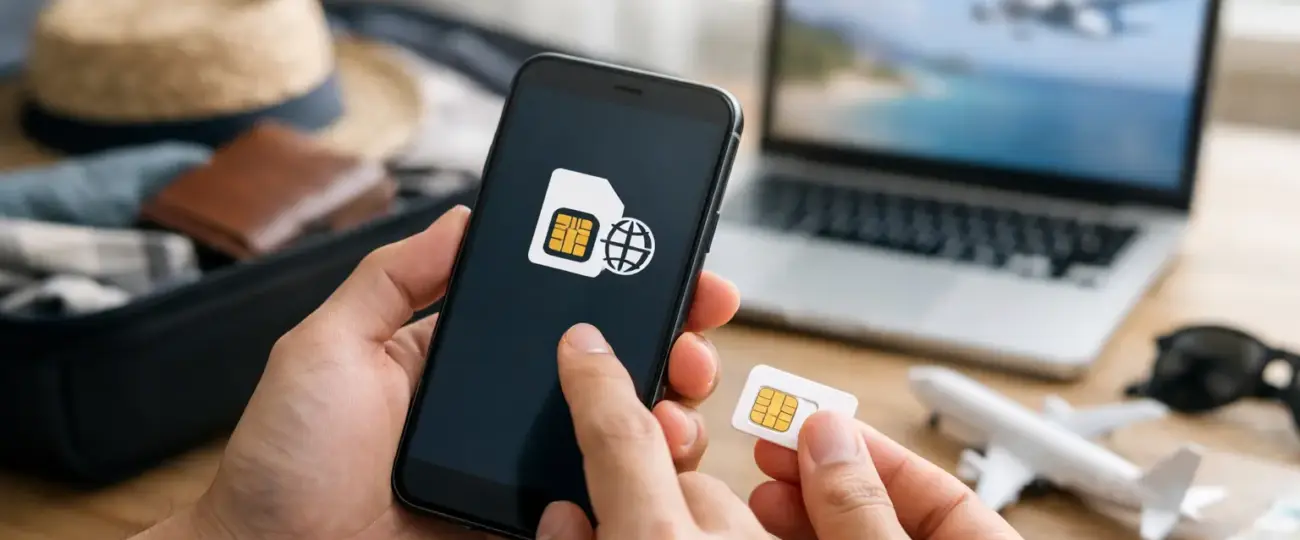


Landing in a new country without maps, ride-share access, or a way to message your hotel is a problem you can avoid before leaving home. When you buy eSIM online, your travel data plan can be ready on your phone before you board, without hunting for a SIM card kiosk after a long flight.
For most travelers, an eSIM is the simpler alternative to international roaming or swapping physical SIM cards. You choose a destination, select a data package, install it digitally, and connect when your plan becomes active. The key is choosing a plan that matches where you are going, how long you will stay, and how you actually use your phone.
International roaming is convenient because it usually works as soon as you arrive. It can also be expensive, especially if your carrier charges a daily rate or limits high-speed data. A few days of navigation, video calls, social media, and uploads can make that convenience costly.
Buying a travel eSIM online gives you more control before the trip begins. You can see the data allowance and validity period upfront, choose a country, regional, or global plan, and avoid carrying a tiny physical SIM card that can be lost. It is particularly useful for travelers who want data as soon as the plane lands.
An eSIM can also let you keep your regular number active for calls, texts, and account verification while using the travel plan for mobile data. This dual-SIM setup depends on your phone and carrier settings, but it is one of the biggest practical advantages for many travelers.
There are trade-offs. Travel eSIM plans are often data-only, so they may not include a local phone number or traditional voice calling. If you need to make calls, apps such as WhatsApp, FaceTime Audio, and other internet-based services can work over your data connection. If you need a local number for a specific purpose, check the plan details before you buy.
A low price does not automatically mean the right plan. The best option is the one that covers your route, lasts for your full trip, and provides enough data for the way you travel.
Start with device compatibility. Many newer iPhones, Google Pixel phones, Samsung Galaxy devices, and other modern smartphones support eSIM, but not every model does. Some phones are carrier-locked, while devices sold in certain regions can have different eSIM capabilities.
Check your device settings and confirm that it is unlocked before purchase. On many phones, you can find an option to add an eSIM under Cellular, Mobile Data, or SIM Manager. If you are unsure, confirm the exact model rather than assuming every version of a phone supports digital SIMs.
A country plan is usually the best fit if you are staying in one place. It is straightforward and can offer better value when your entire trip is in one destination.
A regional plan makes more sense for a multi-country itinerary. If you are traveling from France to Italy and Spain, for example, one Europe plan can be easier than managing separate country plans. A global plan may be the better choice for longer trips across regions or for frequent travelers who want a backup data option ready for multiple destinations.
Always review the included destinations. Regional labels can vary, and coverage in a neighboring country should never be assumed.
Maps, messaging, email, ride-share apps, and browsing use relatively little data. Video streaming, cloud backups, hotspot use, video calls, and posting high-resolution content can use much more.
For a short city break with basic navigation and messaging, a smaller plan may be enough. For a week or more of remote work, daily video calls, or active social media use, choose more data or make sure top-ups are available. It is better to have a clear top-up option than to rely on uncertain public Wi-Fi when your original plan runs out.
Every eSIM plan has a validity period, such as 7, 15, or 30 days. Check when that period starts. Some plans begin when you install the eSIM, while others begin when the eSIM first connects to a supported network at your destination.
This detail matters if you are setting up several days before departure. Installation and activation are not always the same thing. Read the plan instructions so you do not start the clock earlier than expected.
Look beyond the data amount. Review whether hotspot sharing is allowed, whether 4G or 5G is available where supported, and whether data is reduced after a certain usage level. Network performance can vary by location, local infrastructure, congestion, and your device.
Also check customer support options. Travel does not always follow a schedule, and clear setup instructions can make a difference when you are preparing for an early flight or arriving late at night.
The purchase process is designed to be quick, but take a few minutes to set it up carefully while you have reliable Wi-Fi. With eSimple Pro, travelers can choose a destination plan online, receive installation details, scan a QR code, and prepare their phone before departure.
After purchase, you will usually receive a QR code or manual activation details. On your phone, select the option to add an eSIM and follow the prompts. Give the new line a clear label such as “Travel Data” so it is easy to recognize later.
Next, set the travel eSIM as the line used for cellular data. Keep your primary line selected for calls and texts if you want to continue receiving messages sent to your regular number. Turn off cellular data switching if your phone has that option, since it can prevent your primary line from using roaming data unexpectedly.
Before you leave, save the QR code and installation instructions somewhere accessible offline. A screenshot, downloaded document, or saved email can help if airport Wi-Fi is slow. Do not delete an eSIM you may need to reinstall unless the provider confirms that the same activation code can be used again.
Once you land, turn on the travel eSIM and enable data roaming for that eSIM if the provider’s instructions require it. This can feel counterintuitive, but it does not mean you are using your home carrier’s roaming plan. The setting allows the travel eSIM to connect to its partner networks abroad.
Turn off airplane mode, wait a few minutes, and check whether the phone has connected to a local network. If mobile data does not work immediately, restart the device and review the APN settings only if your provider instructs you to do so. Most travel eSIMs configure automatically, but setup requirements vary.
Keep your home line’s data roaming turned off unless you intentionally want to use it. This single check helps protect you from the bill shock that travel eSIMs are meant to avoid.
The most common issue is installing an eSIM on a locked or incompatible phone. The next is choosing a country plan for an itinerary that crosses borders. Both are easy to avoid by checking compatibility and coverage before checkout.
Another frequent mistake is setting the wrong line for mobile data. Your phone can hold multiple SIMs, but it needs clear instructions about which one should handle data abroad. Label your lines, select the travel plan for data, and verify the settings before takeoff.
Travelers also sometimes use more data than expected because automatic photo backups, app updates, and video autoplay continue in the background. Use Wi-Fi for large uploads when practical, disable unnecessary background activity, and monitor usage in your phone settings.
Buying travel data ahead of time is not about adding another task to your trip. It is about removing the small but frustrating moments that happen when you need directions, a confirmation email, or a way to contact someone right away.
Choose coverage that follows your itinerary, install the eSIM while you still have dependable internet, and check your data settings before departure. Then when you arrive, your phone is ready to help you get where you need to go.
 North eSIM
Price range: 1.78 € through 56.45 €
North eSIM
Price range: 1.78 € through 56.45 €
 eSim Bahrain
Price range: 1.75 € through 55.43 €
eSim Bahrain
Price range: 1.75 € through 55.43 €
 eSim Bahamas
Price range: 5.80 € through 183.93 €
eSim Bahamas
Price range: 5.80 € through 183.93 €
 eSim Azerbaijan
Price range: 1.75 € through 60.28 €
eSim Azerbaijan
Price range: 1.75 € through 60.28 €
 eSim Australia
Price range: 1.25 € through 65.98 €
eSim Australia
Price range: 1.25 € through 65.98 €
© 2026 Esimple. All rights reserved by Cubixsol

 Written by